· 9 min read
Can We Just Use ChatGPT for Church Admin, or Do We Need Church-Specific AI?
ChatGPT handles church writing well. Spotting drift, follow-up and member data need more. Where each fits, which plans are safe, and five rules for staff.
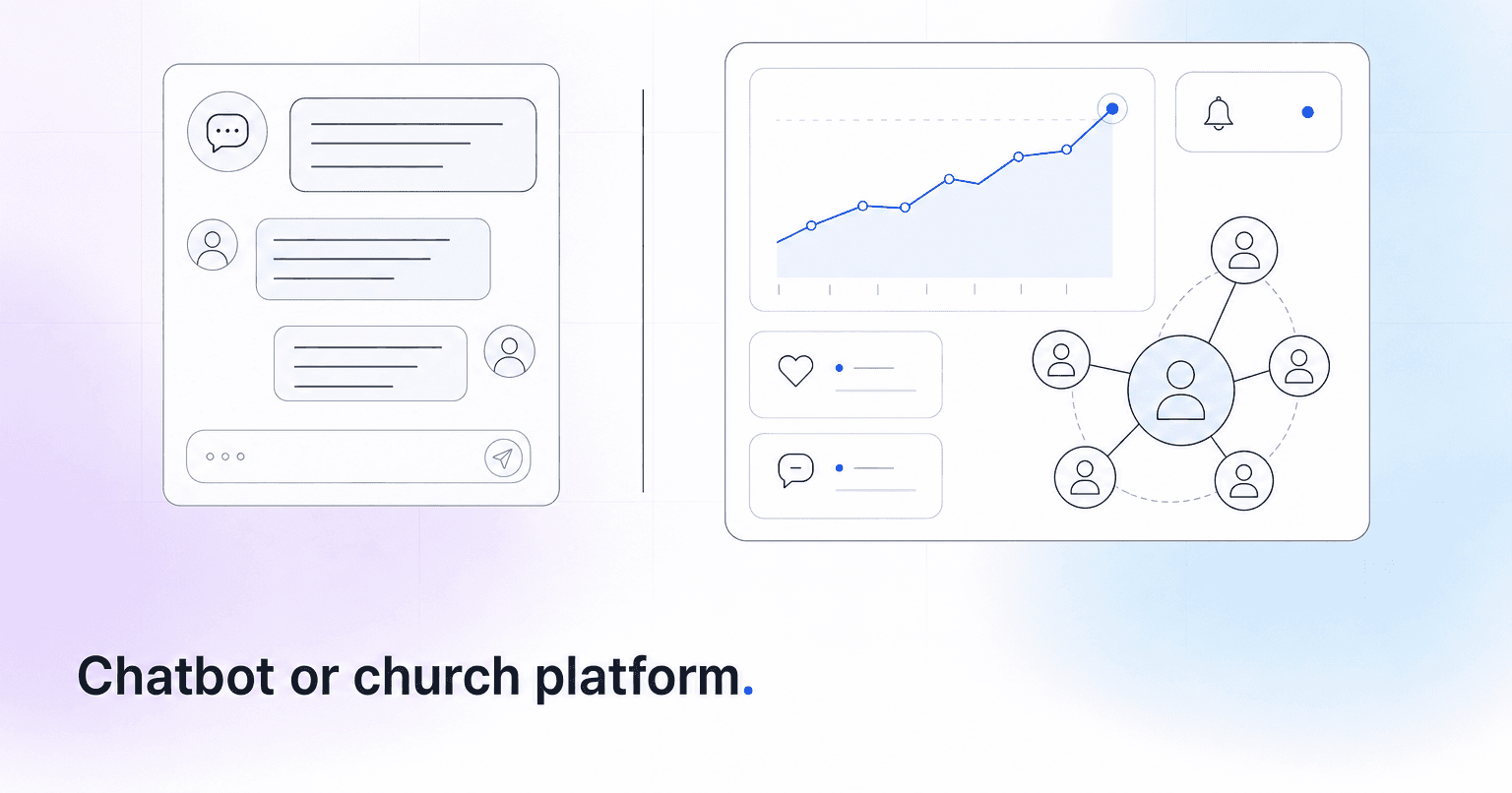
For anything that starts and ends with words on a screen, ChatGPT is enough. Announcements, policy rewrites and the narrative section of a board report are text work, and a general assistant handles them well. Member work is different. Knowing who has drifted, who already reached out and how a household's giving has changed depends on your church's records, and ChatGPT only sees those if someone connects them or pastes them in.
Writing and drafting: a general assistant is enough
A volunteer thank-you email, a sermon recap from a transcript, a policy in plain language: ChatGPT does all of these well. ChatGPT Plus costs $20 a month for one person as of October 2026, and if drafting is your bottleneck and no member names go into the prompts, you may not need anything else yet. The prompts and the editing pass are covered in using AI for newsletter content and sermon recaps.
Church-specific tools pull ahead only on drafts to one person about one thing, such as a check-in drafted from a family's own record. For announcements and newsletters, a general assistant is just as good and costs less.
Knowing which members are drifting
ChatGPT: Not on its own, though the gap is narrower than it was. In August 2026 Planning Center announced an official connection for ChatGPT, Claude and other AI tools that reads People, Check-Ins, Giving, Groups, Services and more, within each user's own permissions. A staff member who connects it can ask "who visited for the first time this month?" and get a live answer. On another ChMS, ask your vendor, or have a technical volunteer build a custom app on a ChatGPT Business workspace that someone then has to maintain.
A connected chatbot still answers only the question someone types. Drift is the question nobody types about a family they haven't thought of. Even a prompt someone saves and reruns every Monday applies whatever blanket rule it states, such as "missed three Sundays", rather than each person's own rhythm. For illustration: a family stopped checking their kids in on Sundays in March but still gives every month. No single report flags that, and nobody thinks to ask.
Church-specific AI: This is the core job. The better tools read attendance, giving, serving and groups together, compare each person with their own usual pattern, and put a short list of names in front of whoever owns follow-up without anyone asking. We walk through the mechanics in how predictive analytics works in church software.
Verdict: Church-specific. A connected ChatGPT can answer questions about your people. It does not watch all of them.
Follow-up is where the gap is widest
ChatGPT will draft a kind check-in or outline a guest follow-up sequence. It doesn't know the small group leader texted that family on Tuesday, it doesn't hand the next step to a named person, and nothing it drafts shows up next week for whoever picks up the follow-up unless someone files it in your ChMS.
A church-specific tool is worth paying for in the loop around the message: who needs contact this week, who on staff owns it, and who reached out last, so a family doesn't hear from two people in one week. Look for tools where a staff member reads and sends anything pastoral under their own name, and where grief, crisis and conflict reach a person as someone to visit rather than as a draft.
Volunteer scheduling stays in your scheduler
Neither a chatbot nor an AI layer replaces your scheduling tool. In Planning Center Services, for example, volunteers accept or decline requests and add blockout dates for weeks they're away. Rotations live there.
With the Planning Center connection, ChatGPT can answer something like "who hasn't confirmed for Sunday?" Without one, paste in a de-identified export of last year's schedule and it will spot that the same four people covered every holiday weekend. That is a useful finding, once.
Overload is easier to catch with a monthly habit. In Planning Center, a service type's People report shows each team member's scheduling status across a date range you pick, enough to see who has served every week since spring. A ten-minute monthly look keeps leaders from burning out volunteers without meaning to.
Church-specific tools are better at noticing who steps back. A long-time team member who quietly comes off a team is often pulling back from church too, and that tends to show up weeks before the missed Sundays do.
Giving trends and financial reporting
ChatGPT: Can explain fund accounting, help word a year-end giving letter and tighten a board report's narrative. Connected to Planning Center Giving, or handed a de-identified export, it will calculate trends when asked, such as (to take a hypothetical) recurring gifts falling 11 percent this quarter. Giving pulled through that connection is giving by name, some of the most sensitive data your church holds. Use it only from a Business workspace, and since the connection shows each user only what their Planning Center permissions allow, keep Giving access to the treasurer or finance staff.
Church-specific AI: Same difference as with drift. The better tools watch each household's usual rhythm without being asked, so a family that gave every month for years and has gone quiet for ten weeks shows up even when the overall total looks fine. Neither tool is your ledger; fund accounting stays with your treasurer.
Verdict: Either can produce the figures. Church-specific tools are better at noticing the household nobody asked about.
Member data: which ChatGPT plan you're on matters
The rest of this comparison is about convenience. This section is about confidentiality.
- Free, Go, Plus and Pro: These are personal accounts. OpenAI says conversations may be used to train its models unless the user turns off "Improve the model for everyone" in Data Controls, and that setting belongs to each person's account. A staffer's Plus account paid out of pocket is a personal account, whatever it gets used for.
- Business: A shared workspace with admin controls. OpenAI says it does not train on Business data by default and will sign a data processing addendum with business customers, which personal plans don't get. As of October 2026, Standard Business seats cost $25 per user per month billed monthly or $20 billed annually, with a two-seat minimum; Premium seats cost more. Through OpenAI for Nonprofits, eligible nonprofits can get Standard seats (not Premium) for $8 per user per month billed annually, with Goodstack verifying eligibility. These are US prices; confirm them before you buy.
Planning Center's help page for its AI connection gives the same warning: without a commercial plan, the AI company can use your conversations for training by default. It also cautions that AI tools can misinterpret data, so check important numbers in Planning Center itself.
The plan question is necessary but not sufficient. Even on a Business workspace, counseling notes and confidences don't belong in a general chatbot, because the question is who sees them and why, not only whether a model trains on them. Our breakdown of what church member data privacy actually requires covers purpose, access and retention for each kind of record. Hold church-specific vendors to the same standard: ask who on your staff can see what, whether member data is ever shared between churches, and what they will put in writing.
Five rules if your staff use ChatGPT
- Match the account to the data. Drafting and rewriting with no member names can happen on any account. Anything with member data, any export and any ChMS connection goes only through a Business workspace the church owns.
- Never paste pastoral content. Counseling notes, prayer requests with names, hardship details, children's information and anything said in confidence stay out of every general AI tool, on every plan.
- De-identify exports. Replace names with ID numbers, delete contact details and street addresses, and round or band giving amounts. Keep the key that links IDs to names inside your ChMS.
- Name one owner. One person administers the workspace, removes seats when staff or volunteers leave, and decides which connections are switched on, and for whom. Planning Center, for one, lets admins limit its AI connection to specific users.
- Write a one-page policy. List what is fine anywhere (drafting, rewriting, brainstorming), what is allowed only in the church workspace (member data, exports, connections), and what never goes in. Add one line: a person reads anything AI wrote before it reaches a member. Review it once a year. Our guide to writing a church AI use policy includes a template you can adapt.
How to choose, and what to do this week
Use ChatGPT on its own if your main pain is communications volume, your staff can name every family that has drifted without looking anything up, and your ChMS reports cover the rest. As a rule of thumb, that holds up to roughly 200 people. Don't overbuy.
Add church-specific AI if you are past a few hundred people (another rule of thumb), nobody can say who has gone quiet since Easter without pulling a report, or one overloaded admin is tracking follow-up in a spreadsheet.
Running both is a stable setup: ChatGPT for brainstorming and policy rewrites, a church platform for notes to specific people, and member records kept in tools built, and contracted, to hold them.
This week, ask each staff member which AI accounts they use for church work and what they have pasted into them. That conversation tells you whether you need a Business workspace, a written policy, or both.
If the member side is where your church is losing people, ChurchAI works from a copy of your Planning Center, Breeze, CCB or Subsplash records and gives whoever owns follow-up a short Monday list, with the reason beside each name and a drafted check-in your team approves and sends. It is built for churches of a few hundred people or more. If your staff already know who is missing, ChurchAI will tell you that you don't need it yet.
Common questions
- What is ChurchAI?
- ChurchAI is an AI-native church management platform built to help churches retain members, grow giving, and eliminate administrative busywork. Unlike legacy church software that stores data passively, ChurchAI acts as an intelligence layer that connects to your existing tools, analyzes engagement patterns, predicts churn, identifies emerging donors and volunteer leaders, and automates follow-up workflows.
- How is ChurchAI different from Planning Center or other church management software?
- Most church management software like Planning Center, Rock CHMS, or Subsplash are built for administration and reporting. They store data but don't act on it. ChurchAI is built for discipleship and growth. It uses AI to proactively surface insights, predict which members are at risk of leaving, identify first-time and emerging givers, recommend volunteer candidates, and trigger automated follow-up communications. ChurchAI integrates with your existing tools and serves as the command center that turns church data into action.
- Does ChurchAI replace my current church software?
- No. ChurchAI connects directly with your existing church tools including Planning Center, Rock CHMS, Subsplash, Mailchimp, Microsoft Fabric, Power BI, and others. It acts as the intelligence layer on top of your current tech stack, unifying data from scattered systems into one command center without requiring you to switch platforms.
- What problems does ChurchAI solve for churches?
- ChurchAI solves three core problems: (1) Member churn — it identifies disengaged members early through attendance and engagement pattern analysis, then triggers automated follow-up before people fall through the cracks. (2) Missed growth opportunities — it surfaces emerging donors, first-time givers, and potential volunteer leaders that pastors would otherwise miss. (3) Administrative overload — it automates follow-ups, people management, growth tracks, and reporting so church staff can focus on ministry instead of spreadsheets.
- What size churches does ChurchAI work for?
- ChurchAI works for churches of all sizes, from growing congregations to enterprise-level megachurches with multiple campuses and complex tech stacks. The platform scales to handle multi-campus operations with thousands of members, multiple data systems, and sophisticated reporting needs.
- Is ChurchAI an AI chatbot for churches?
- No. ChurchAI is not a chatbot or a simple Q&A tool. It is a full AI-native platform with intelligent agents that analyze church data, score member engagement, predict behavior patterns, automate workflows, and deliver actionable insights. Think of it as an AI-powered Executive Pastor that monitors church health 24/7 and proactively surfaces what needs attention.
- What AI technology does ChurchAI use?
- ChurchAI uses AI-native architecture including large language models, engagement scoring models, predictive analytics for churn and giving patterns, and automated workflow agents. The platform's domain expertise is encoded directly into its AI workflows, prompts, and scoring models, built by founders with over a decade of church leadership experience. This creates a data flywheel where the more churches use ChurchAI, the smarter its predictions and recommendations become.
- How do I get started with ChurchAI?
- Visit churchai.com to request a demo. The ChurchAI team will walk you through the platform, understand your current tech stack and church needs, and show how ChurchAI integrates with your existing tools to deliver immediate value.