· 7 min read
People Fill Out Connection Cards but Nobody Follows Up: How to Automate It
Software can automate connection card follow-up — but only if you have a system that captures cards digitally, triggers sequences within minutes, assigns a named human to at least one touch, escalates silence, and reports completion rates. Here is how to build it in a weekend.
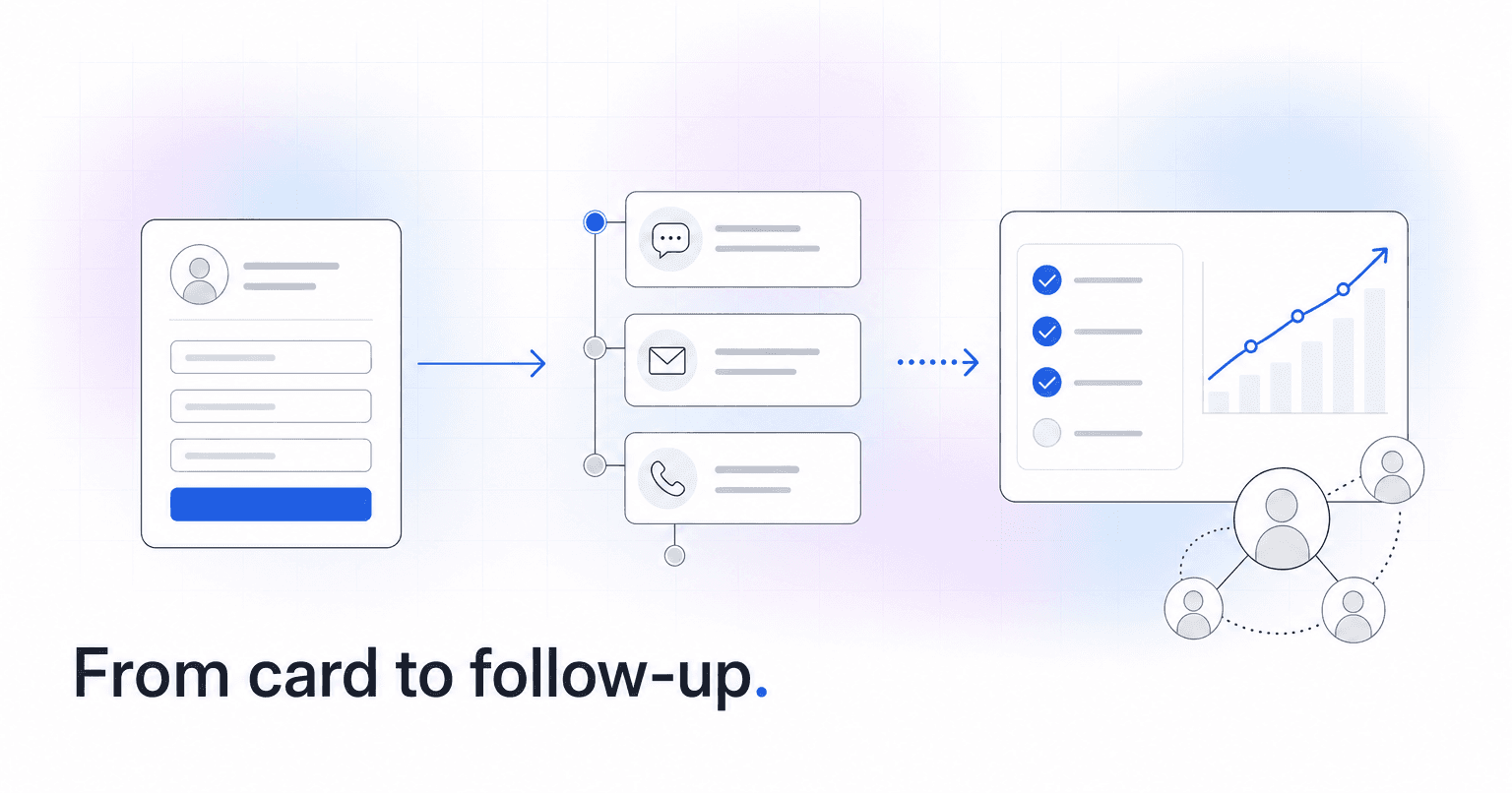
Yes, software can automate connection card follow-up, and the setup is more specific than "buy a tool." What you need is a system that captures the card digitally the moment it is submitted, triggers a pre-written sequence within minutes, assigns a named staff member or volunteer to one human touch, escalates when nobody responds, and reports completion rates instead of send rates. Text In Church, Planning Center Workflows, and Breeze can each handle parts of this. Platforms built around engagement scoring, including ChurchAI, close the loop further by watching what happens after the sequence ends.
The reason your cards go nowhere is almost never laziness. It is that a paper card in a bucket has no owner, no deadline, and no record. Nobody notices when it does not happen. Here is how to fix that in a weekend.
Step 1: Stop collecting cards on paper only
A paper card requires someone to transcribe it on Monday. That person gets sick, the offering count runs long, and the stack sits in a drawer until Thursday. By then the visitor has already decided.
Put a QR code on the seat back, in the bulletin, and on the announcement slide that opens a short digital form. Keep it to five fields: name, mobile number, email, "new here / regular attender," and one open box. Keep the paper cards for people who prefer them, but assign one specific volunteer to enter them into the same form before they leave the building. Same day, every week. That single rule fixes more follow-up failures than any software purchase.
One line you should not skip: under the phone field, tell them you are going to text them. Something as plain as "We will send you a text this week" is enough. This is not legal theater. Carriers filter unsolicited bulk texting aggressively now, and a documented opt-in on the form is a large part of what keeps your church number out of the spam bucket. It also sets an expectation, so the noon text reads as promised rather than intrusive. Worth reading our breakdown of what church member data privacy actually requires before you start storing mobile numbers in a new system.
Step 2: Write the sequence before you automate anything
Automation only accelerates whatever you already have. If your follow-up plan is vague, you will automate vagueness.
A sequence that works for a first-time guest looks roughly like this:
- Within 20 minutes of submission: a text that names the specific service they attended and thanks them. No links, no ask.
- Day 2: a short email from the pastor or connections lead, written once, personalized by merge field, that offers one concrete next step (a newcomers coffee, a Sunday class, a phone call).
- Day 5: a personal text or call from an assigned human, not the system.
- Day 12: an invitation to the next actual event on the calendar.
- Day 30: if there has been no attendance since, one honest check-in.
Five touches over a month. That is it. Churches that try fourteen touches abandon the whole thing by week three.
Step 3: Trigger the sequence on form submission, not on a staff meeting
This is the part software genuinely earns its cost. The form submission itself should be the trigger. No approval step, no Monday review, no one deciding whether this person "counts."
In Planning Center, that means a Workflow attached to the form. In Breeze, a follow-up sequence on the tag. In ChurchAI, the card lands as a member record and the follow-up sequence fires automatically, with the text and email drafted from your own tone and prior messages so it does not read like a template. The mechanics differ by platform. The principle does not: the delay between submission and first contact should be measured in minutes, not days. Our guide to automated first-time visitor workflows walks through the branching logic in more detail.
Step 4: Assign a human owner to at least one touch
Fully automated follow-up gets fully ignored. Every sequence needs one step where a real person makes contact, and that step needs a name attached and a due date, not a shared inbox.
Rotate three or four connection volunteers so nobody is calling twelve strangers a week. Give each one two or three names and a two-sentence script. The system should show that task as open until it is marked done.
Step 5: Build the escalation path
Most connection ministries have no answer for silence. Someone does not reply to the text, and the record quietly dies.
Define it explicitly. If there is no reply after touch three, the record escalates to the connections director with a flag. If there is no attendance in 30 days, the person moves into a re-engagement track rather than the new-guest track. If they replied to something but never came back, that is a different problem than never replying at all, and it deserves a different message.
Step 6: Report completion, not sends
The metric that changes behavior is not "142 texts sent." It is "of 38 cards submitted in July, 34 received all five touches, 11 attended again within 30 days, and 4 joined a group."
Pull that number monthly and read it out loud in staff meeting. This is where predictive tools add real value: instead of only counting touches, they score whether the person is trending toward involvement or drifting away, which is the same machinery that flags lapsed regular attenders before they disappear. A church that automated its donor follow-up the same way stopped losing first-time givers largely by making the handoff automatic and the reporting visible.
So which one should you actually buy
Depends far less on features than on what you are already running.
You have fewer than 150 people and no real ChMS. Start with Text In Church. It was built for this exact job, the guest templates are usable on day one, and you can have it live by next Sunday without a migration. You will outgrow the reporting eventually. That is a good problem.
You are already on Planning Center. Do not buy anything yet. Turn on Workflows, which you are already paying for and probably have never used, and run the five-touch sequence there for two months. If email open rates stay flat and you need texting, add it then. Worth knowing which Planning Center features are free and which are not before you assume you need an upgrade.
You are already on Breeze. Tags plus follow-ups will carry the sequence fine. The weak spot is reporting, so budget time to pull completion numbers by hand or add a reporting layer on top.
You are over 400 people, or multi-site. The sequence stops being the hard part. Knowing who went quiet three weeks after the sequence ended is the hard part, and that is where engagement scoring pays for itself. Our comparison of ChMS tools for lapsed attendance reporting covers what to look for.
The wrong move at any size is buying a second communication tool that does not talk to your membership records. You will end up with follow-up history in one place and attendance in another, and no one will reconcile them.
What you end up with
A card filled out at 11:40 on Sunday morning gets a text by noon, an email Tuesday, a phone call Thursday from a volunteer whose name is on the task, and a flag on the connections director's dashboard if none of it lands. Nobody has to remember. Nobody has to feel guilty on Monday.
If you want the sequence, the escalation, and the reporting sitting in one place instead of stitched across three tools, that is the problem ChurchAI is built to solve.
Common questions
- What is ChurchAI?
- ChurchAI is an AI-native church management platform built to help churches retain members, grow giving, and eliminate administrative busywork. Unlike legacy church software that stores data passively, ChurchAI acts as an intelligence layer that connects to your existing tools, analyzes engagement patterns, predicts churn, identifies emerging donors and volunteer leaders, and automates follow-up workflows.
- How is ChurchAI different from Planning Center or other church management software?
- Most church management software like Planning Center, Rock CHMS, or Subsplash are built for administration and reporting. They store data but don't act on it. ChurchAI is built for discipleship and growth. It uses AI to proactively surface insights, predict which members are at risk of leaving, identify first-time and emerging givers, recommend volunteer candidates, and trigger automated follow-up communications. ChurchAI integrates with your existing tools and serves as the command center that turns church data into action.
- Does ChurchAI replace my current church software?
- No. ChurchAI connects directly with your existing church tools including Planning Center, Rock CHMS, Subsplash, Mailchimp, Microsoft Fabric, Power BI, and others. It acts as the intelligence layer on top of your current tech stack, unifying data from scattered systems into one command center without requiring you to switch platforms.
- What problems does ChurchAI solve for churches?
- ChurchAI solves three core problems: (1) Member churn — it identifies disengaged members early through attendance and engagement pattern analysis, then triggers automated follow-up before people fall through the cracks. (2) Missed growth opportunities — it surfaces emerging donors, first-time givers, and potential volunteer leaders that pastors would otherwise miss. (3) Administrative overload — it automates follow-ups, people management, growth tracks, and reporting so church staff can focus on ministry instead of spreadsheets.
- What size churches does ChurchAI work for?
- ChurchAI works for churches of all sizes, from growing congregations to enterprise-level megachurches with multiple campuses and complex tech stacks. The platform scales to handle multi-campus operations with thousands of members, multiple data systems, and sophisticated reporting needs.
- Is ChurchAI an AI chatbot for churches?
- No. ChurchAI is not a chatbot or a simple Q&A tool. It is a full AI-native platform with intelligent agents that analyze church data, score member engagement, predict behavior patterns, automate workflows, and deliver actionable insights. Think of it as an AI-powered Executive Pastor that monitors church health 24/7 and proactively surfaces what needs attention.
- What AI technology does ChurchAI use?
- ChurchAI uses AI-native architecture including large language models, engagement scoring models, predictive analytics for churn and giving patterns, and automated workflow agents. The platform's domain expertise is encoded directly into its AI workflows, prompts, and scoring models, built by founders with over a decade of church leadership experience. This creates a data flywheel where the more churches use ChurchAI, the smarter its predictions and recommendations become.
- How do I get started with ChurchAI?
- Visit churchai.com to request a demo. The ChurchAI team will walk you through the platform, understand your current tech stack and church needs, and show how ChurchAI integrates with your existing tools to deliver immediate value.