· 7 min read
Planting a Second Campus? How to Audit Your Church Software Before You Scale
Before you launch a second campus, your software has to handle campus tagging, roll-up reporting, follow-up continuity, and permissions—or you'll find out what's missing in the worst possible month. Here is the audit to run six to twelve months out.
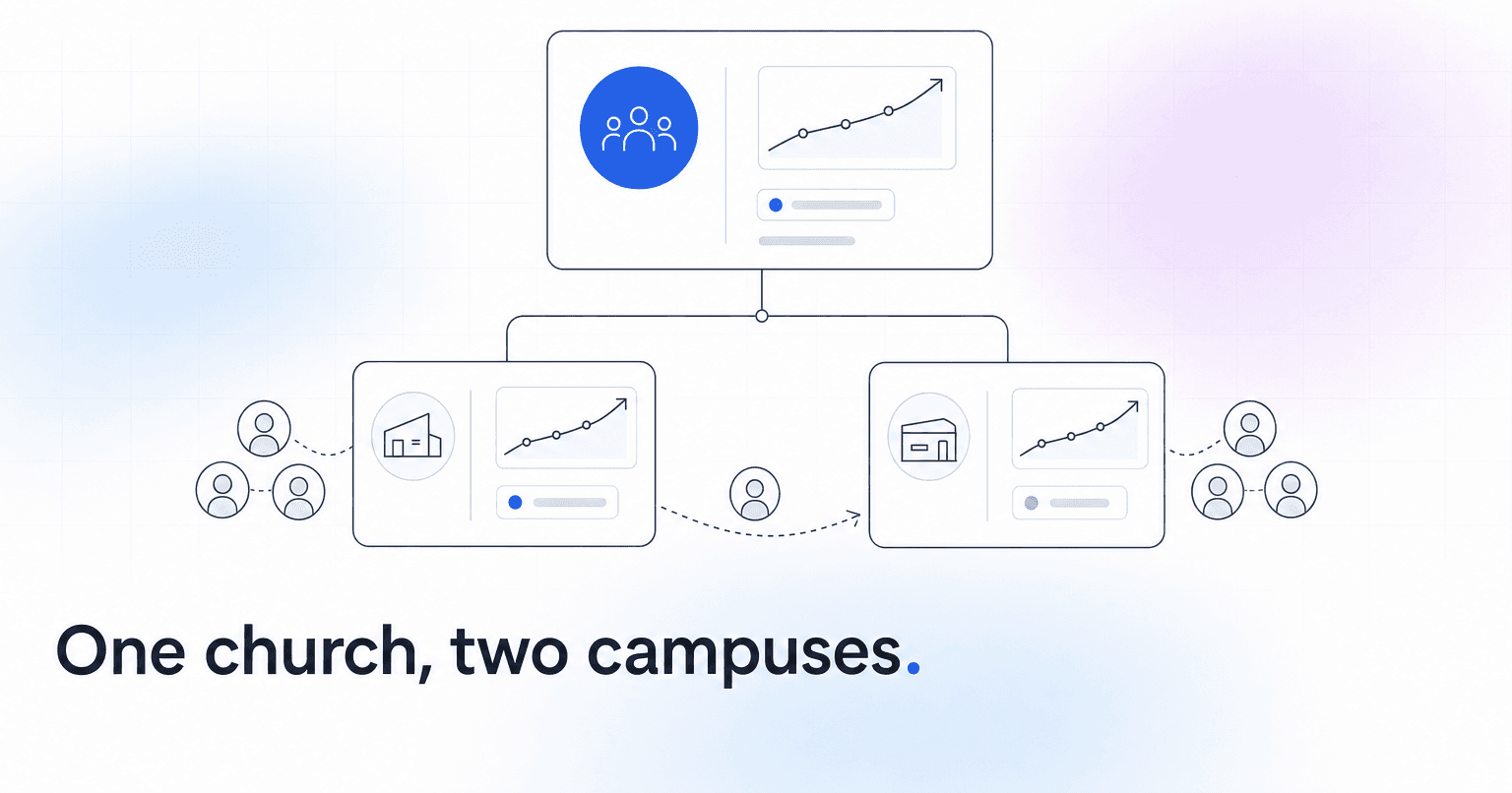
Before you launch a second campus, your software has to do five things your single-site setup never had to: tag every record with a campus, roll numbers up to a total while still letting you drill into one site, keep follow-up attached to the person instead of the location, report giving by campus and combined, and let campus staff see their own people without seeing the whole church. Miss one of those and you find out in month two of the launch, which is the worst possible month to find out anything.
Most platforms say they "support multi-site." Usually that means there is a campus dropdown somewhere. The dropdown is not the hard part. The hard part is the family that starts attending the new site in March while their giving history, their kids' check-in records, and their small group all still point at the original one.
Here is the audit. Run it six to twelve months out, not six weeks.
Step 1: Check whether your existing records are even campus-tagged
Open your current system right now and try to answer this: last month, how many people attended, gave, served, and joined a group, broken out by site? If you cannot produce that with one site, you will not produce it with two.
Retroactive tagging is miserable, which is why this goes first. Every person, household, group, serving team, event, and fund needs a campus attribute. Plenty of systems tag only events and check-ins, which quietly leaves your giving and group data campus-blind forever. Test it against real records, not the vendor's demo dataset. Demo data is always clean. Yours is not.
Step 2: Prove the roll-up and the drill-down both work
You need two views that never disagree. The elder board wants the combined number. Each campus pastor wants their own. When those come out of different tools or different exports, staff meetings turn into arguments about whose spreadsheet is right, and the argument is never actually about the spreadsheet.
Make the vendor show you one dashboard with a campus filter, then take the filter off and confirm the total equals the sum of the parts. Then check the harder case: someone who attends Saturday night at the original site and serves Sunday morning at the new one. If that person counts twice, every attendance trend you report for the next three years is inflated. Worth reading through how multi-campus ChMS options actually handle roll-up reporting before you sign anything.
Step 3: One database with a campus field, not two instances
Some churches launch site two by spinning up a second account. It feels clean. It is a trap. You lose the combined view on day one, you duplicate every household that moves between sites, and somebody spends a week merging records by hand two years later.
Run one database, campus as a field. Take the extra configuration work up front.
The exception is real: a genuinely autonomous plant with its own finances, its own board, and no expectation of a shared roster. That is a separate church and it can have separate software. A campus is not.
Step 4: Trace one real member through a campus switch
Pick an actual household, not a hypothetical one, and walk the switch on paper.
- Does follow-up follow them? Sequences keyed to a location tend to either stop firing or fire twice. Both are bad, and the second one is embarrassing.
- Does giving history stay intact? The January statement should show one annual total, not two partial ones that the finance team staples together.
- Does group and serving history carry over? If it does not, the new campus treats a ten-year small group host like a first-time visitor.
- Who owns the next conversation? Someone at the receiving site has to be assigned, automatically, without a staff member remembering to do it.
That last one is where churches lose people quietly. A member in the middle of a campus switch is in a fragile window, and in most systems they vanish off one team's list without ever landing on anyone else's. Nobody notices for four months, because nobody was looking at a list that included them. If your follow-up already runs on automated visitor workflows, test whether the campus field is part of the trigger or just decoration on the record.
Step 5: Figure out the people who belong to both sites
Your launch team is the obvious case. For the first year, a meaningful share of the new campus is people who already attend your church, and many of them keep serving at the original site while worshipping at the new one. Sound techs do this constantly.
Ask whether your scheduling tool can roster one volunteer across two campuses without duplicating their record, and whether their serving hours show up in both campus reports or only their "home" one. Most systems force you to pick a home campus and then report as if that were the whole truth. If yours does, decide now which number you will treat as official, and write it down before two campus pastors interpret it differently. Our rundown of ChMS volunteer tooling covers which platforms handle cross-site scheduling without a workaround.
Step 6: Write the permissions matrix while you still have four staff
Campus staff should see their own congregation's contact and engagement data. Giving detail, pastoral care notes, and full-church exports stay narrow. Build that matrix now, at four staff, rather than at nine when everybody has already been handed an admin login "just for this weekend." Check it against your data handling obligations too, because a second campus usually means a second set of volunteers touching member records.
Step 7: Pick the metrics you will watch per campus, before launch
You need a baseline, and after launch you will be too busy to define one. We would watch a campus-level engagement score, the share of first-time visitors who return within 30 days, and month-over-month giver retention at each site.
Attendance is the number everyone quotes and the one that misleads you the longest. A new campus can hold flat seat counts for two quarters while return rate and giver retention slide, and by the time attendance finally reflects it you are repairing damage rather than preventing it.
Step 8: Ask what campus two costs you
Almost nobody asks this until the invoice arrives. Some vendors price per record, so a second campus costs whatever growth costs. Others charge a per-campus or per-site fee on top, and a few gate multi-site reporting behind a higher tier entirely, meaning the feature you just spent six months auditing is not included in what you currently pay.
Get the number in writing for two campuses and for three. If a third site is plausible within five years, the pricing curve matters more than this year's line item.
What good looks like on launch Sunday
You know, by campus and in total, who attended, who gave, who served, and who drifted. Every new-campus visitor has a follow-up assigned to a named person at their site within 48 hours. Both campus pastors are reading the same dashboard. Nobody is exporting anything into a spreadsheet to make a report make sense.
That is the bar ChurchAI was built to hold: one member record across sites, campus-level engagement and giving visibility, and follow-up that keeps working when someone changes which building they walk into. Whatever you end up using, run the audit while a second campus is still on the calendar rather than on the ground. Right now the fix is configuration. In March it is cleanup.
Common questions
- What is ChurchAI?
- ChurchAI is an AI-native church management platform built to help churches retain members, grow giving, and eliminate administrative busywork. Unlike legacy church software that stores data passively, ChurchAI acts as an intelligence layer that connects to your existing tools, analyzes engagement patterns, predicts churn, identifies emerging donors and volunteer leaders, and automates follow-up workflows.
- How is ChurchAI different from Planning Center or other church management software?
- Most church management software like Planning Center, Rock CHMS, or Subsplash are built for administration and reporting. They store data but don't act on it. ChurchAI is built for discipleship and growth. It uses AI to proactively surface insights, predict which members are at risk of leaving, identify first-time and emerging givers, recommend volunteer candidates, and trigger automated follow-up communications. ChurchAI integrates with your existing tools and serves as the command center that turns church data into action.
- Does ChurchAI replace my current church software?
- No. ChurchAI connects directly with your existing church tools including Planning Center, Rock CHMS, Subsplash, Mailchimp, Microsoft Fabric, Power BI, and others. It acts as the intelligence layer on top of your current tech stack, unifying data from scattered systems into one command center without requiring you to switch platforms.
- What problems does ChurchAI solve for churches?
- ChurchAI solves three core problems: (1) Member churn — it identifies disengaged members early through attendance and engagement pattern analysis, then triggers automated follow-up before people fall through the cracks. (2) Missed growth opportunities — it surfaces emerging donors, first-time givers, and potential volunteer leaders that pastors would otherwise miss. (3) Administrative overload — it automates follow-ups, people management, growth tracks, and reporting so church staff can focus on ministry instead of spreadsheets.
- What size churches does ChurchAI work for?
- ChurchAI works for churches of all sizes, from growing congregations to enterprise-level megachurches with multiple campuses and complex tech stacks. The platform scales to handle multi-campus operations with thousands of members, multiple data systems, and sophisticated reporting needs.
- Is ChurchAI an AI chatbot for churches?
- No. ChurchAI is not a chatbot or a simple Q&A tool. It is a full AI-native platform with intelligent agents that analyze church data, score member engagement, predict behavior patterns, automate workflows, and deliver actionable insights. Think of it as an AI-powered Executive Pastor that monitors church health 24/7 and proactively surfaces what needs attention.
- What AI technology does ChurchAI use?
- ChurchAI uses AI-native architecture including large language models, engagement scoring models, predictive analytics for churn and giving patterns, and automated workflow agents. The platform's domain expertise is encoded directly into its AI workflows, prompts, and scoring models, built by founders with over a decade of church leadership experience. This creates a data flywheel where the more churches use ChurchAI, the smarter its predictions and recommendations become.
- How do I get started with ChurchAI?
- Visit churchai.com to request a demo. The ChurchAI team will walk you through the platform, understand your current tech stack and church needs, and show how ChurchAI integrates with your existing tools to deliver immediate value.