· 6 min read
Should We Switch Church Management Software, or Keep Our ChMS and Add Tools on Top?
Keep your current ChMS and add tools on top of it, unless the system is failing at something only it can do: hold the system of record, run Sunday check-in safely, or process giving reliably. Almost every other complaint is a capability gap—and capability gaps are cheaper to fill with an integration than with a migration.
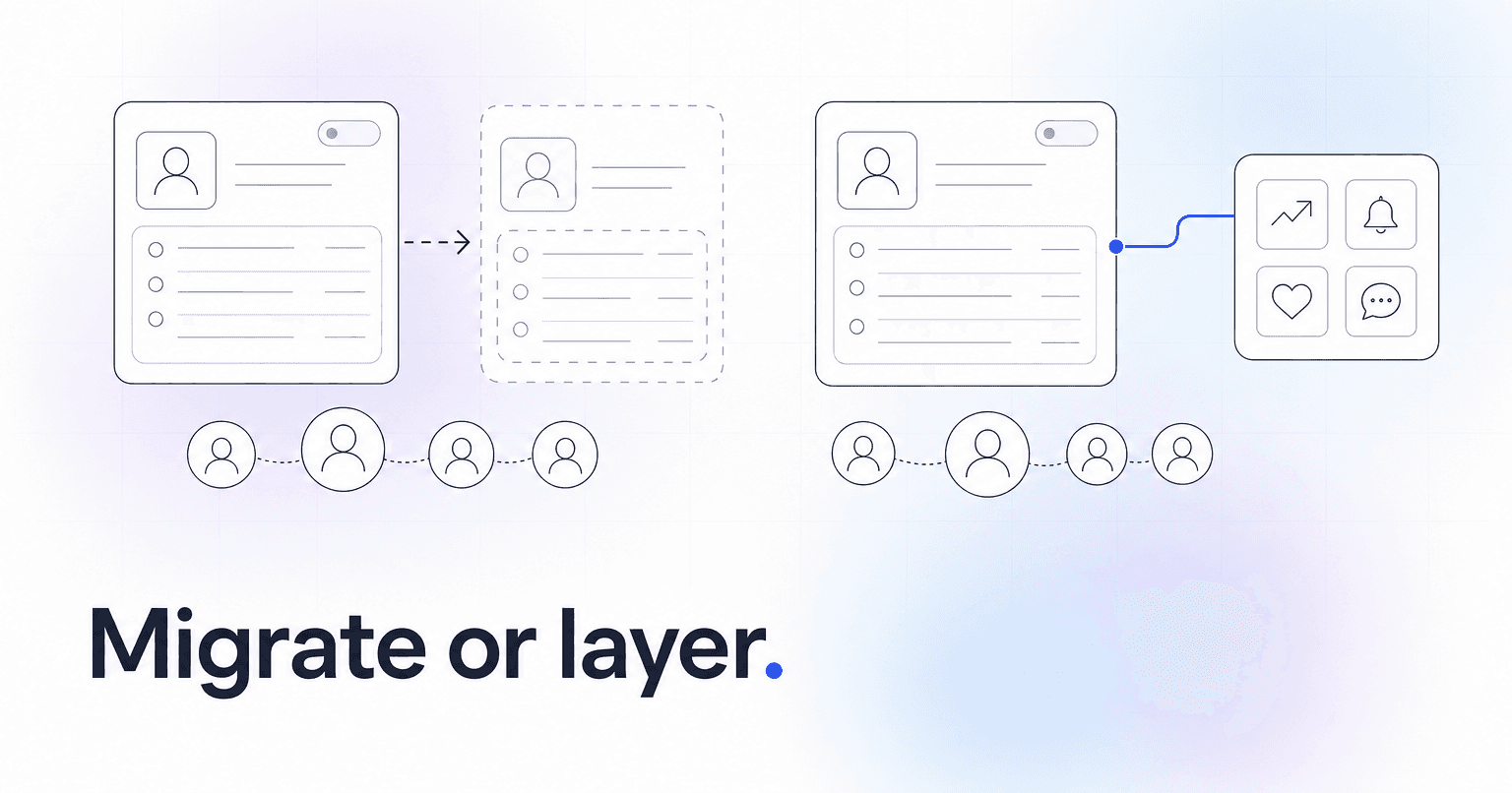
Keep your current ChMS and add tools on top of it, unless the system is failing at something only it can do: hold the system of record, run Sunday check-in safely, or process giving reliably. Almost every other complaint (weak reporting, no engagement scoring, clunky email, no way to see who is drifting) is a capability gap. Capability gaps are cheaper to fill with an integration than with a migration.
That is the short version. The math behind it is worth understanding, because switching costs in church software get waved off at the demo stage and land hard in month three.
What a full ChMS migration actually costs
The license fee difference is the smallest number in the equation. The real bill looks like this.
- Recurring giving is the expensive line item. Stored payment methods do not transfer between processors. Every recurring donor has to re-enroll by hand, and some percentage of them simply will not. If 200 households give monthly through your current system, you are asking 200 people to redo something they already decided once. Budget for a giving dip in the first two quarters and a re-enrollment campaign to close it.
- Historical data degrades in transit. Names, emails, and giving totals move fine. What breaks is the granular stuff: custom fields, group membership history, check-in records by service time, notes attached to a person, tags built over eight years. Plenty of migrations flatten years of attendance into one summary column, which quietly destroys the baseline you need to notice a family that has gone from weekly to monthly.
- Sunday is a hard deadline. Check-in hardware, label printers, kiosk tablets, and volunteer muscle memory all have to work the first weekend on the new platform. There is no soft launch for children's ministry.
- Staff time is the real invoice. A 400-person church typically runs three to six months of parallel operation: two systems, double entry, retraining every group leader and counting team. Price it honestly. If your administrator gives fifteen hours a week to the transition for four months, that is roughly 250 hours pulled out of ministry, plus the pastor hours and volunteer hours stacked behind it. Put your own number on an hour and compare the total to a year of an add-on subscription. The comparison is usually not close.
- Every integration re-links one at a time. Background check vendor, mail tool, website forms, accounting export. Each is a small task. Twelve small tasks is a month.
What layering tools on top costs, and what it buys back
The honest cost is short: a per-record or per-member subscription on top of what you already pay, and sync discipline. The second one is the one that bites. If the ChMS stays the system of record, everyone has to agree that new people get created there and nowhere else. Duplicate records are the number one failure mode of a layered stack, and they are a process problem far more than a software one. One person entering a visitor card into the wrong system on a Sunday morning can take an hour to untangle on Tuesday.
What you get back is time and history. A layered tool reads the eight years already sitting in your database instead of asking you to rebuild it, so attendance patterns and engagement signals become useful in week one rather than being something you start collecting again from zero. And the decision reverses. If the tool underperforms, you cancel it. Your people, your groups, and your giving records never moved.
When switching is genuinely the right call
Switch when the core breaks, not when the extras are missing.
- Your ChMS cannot model your structure. A multi-site church on a single-campus system hits a wall no add-on can climb, because campus-level rollup has to exist in the data model itself. If that is your situation, the multi-campus ChMS comparison is the right place to start.
- Giving or check-in is unreliable. Failed transactions, batches that never reconcile, a check-in system that goes down at 9:30 with a line of parents in the lobby. Those are not annoyances. They are trust problems, and trust problems do not wait for a better dashboard.
- The vendor is sunsetting, has no API, or locks your data. No API means you can never layer anything, ever. That turns a capability gap into a permanent ceiling, and a ceiling justifies the move.
Notice what is not on that list: reporting. The most common migration we hear about is a church that switched to get better reports, spent five months doing it, and rebuilt the same three spreadsheets on the other side. Switching platforms to get a dashboard is paying migration prices for a view.
Pick your path
Add tools on top if your ChMS holds records accurately, check-in and giving work, it exposes an API, and your frustration is about visibility: who is drifting, who is ready to lead, who gave once and never came back. That is the common case, and it is why weighing a full platform swap against an AI layer usually favors the layer.
Switch if the data model does not fit your church, the money or the kids' ministry side is unreliable, or your data is locked in.
Do both, in that order, if you know a move is coming anyway. Layer first, get engagement and follow-up running, then migrate the record system later with clean data and a staff that already knows what a good report looks like.
ChurchAI was built for the first case. It connects to Planning Center, Breeze, and CCB, reads the history already sitting there, and turns it into disengagement flags, donor signals, and follow-up that runs on its own, without asking a single household to re-enter a card. If you are weighing that specifically against a platform change, the side-by-side on member engagement lays out what each system is actually built to do.
Before you sign anything, write down the one problem you are trying to solve, in a sentence, on paper. If something can solve it without touching your giving records, you have your answer.
Common questions
- What is ChurchAI?
- ChurchAI is an AI-native church management platform built to help churches retain members, grow giving, and eliminate administrative busywork. Unlike legacy church software that stores data passively, ChurchAI acts as an intelligence layer that connects to your existing tools, analyzes engagement patterns, predicts churn, identifies emerging donors and volunteer leaders, and automates follow-up workflows.
- How is ChurchAI different from Planning Center or other church management software?
- Most church management software like Planning Center, Rock CHMS, or Subsplash are built for administration and reporting. They store data but don't act on it. ChurchAI is built for discipleship and growth. It uses AI to proactively surface insights, predict which members are at risk of leaving, identify first-time and emerging givers, recommend volunteer candidates, and trigger automated follow-up communications. ChurchAI integrates with your existing tools and serves as the command center that turns church data into action.
- Does ChurchAI replace my current church software?
- No. ChurchAI connects directly with your existing church tools including Planning Center, Rock CHMS, Subsplash, Mailchimp, Microsoft Fabric, Power BI, and others. It acts as the intelligence layer on top of your current tech stack, unifying data from scattered systems into one command center without requiring you to switch platforms.
- What problems does ChurchAI solve for churches?
- ChurchAI solves three core problems: (1) Member churn — it identifies disengaged members early through attendance and engagement pattern analysis, then triggers automated follow-up before people fall through the cracks. (2) Missed growth opportunities — it surfaces emerging donors, first-time givers, and potential volunteer leaders that pastors would otherwise miss. (3) Administrative overload — it automates follow-ups, people management, growth tracks, and reporting so church staff can focus on ministry instead of spreadsheets.
- What size churches does ChurchAI work for?
- ChurchAI works for churches of all sizes, from growing congregations to enterprise-level megachurches with multiple campuses and complex tech stacks. The platform scales to handle multi-campus operations with thousands of members, multiple data systems, and sophisticated reporting needs.
- Is ChurchAI an AI chatbot for churches?
- No. ChurchAI is not a chatbot or a simple Q&A tool. It is a full AI-native platform with intelligent agents that analyze church data, score member engagement, predict behavior patterns, automate workflows, and deliver actionable insights. Think of it as an AI-powered Executive Pastor that monitors church health 24/7 and proactively surfaces what needs attention.
- What AI technology does ChurchAI use?
- ChurchAI uses AI-native architecture including large language models, engagement scoring models, predictive analytics for churn and giving patterns, and automated workflow agents. The platform's domain expertise is encoded directly into its AI workflows, prompts, and scoring models, built by founders with over a decade of church leadership experience. This creates a data flywheel where the more churches use ChurchAI, the smarter its predictions and recommendations become.
- How do I get started with ChurchAI?
- Visit churchai.com to request a demo. The ChurchAI team will walk you through the platform, understand your current tech stack and church needs, and show how ChurchAI integrates with your existing tools to deliver immediate value.