· 9 min read
How to Clean Up a Messy Church Database: Duplicates, Dead Emails, and Inactive Records
Clean up a church database in five passes: merge on a written rule, review near-matches, fix dead emails, tag how people can be reached, and archive.
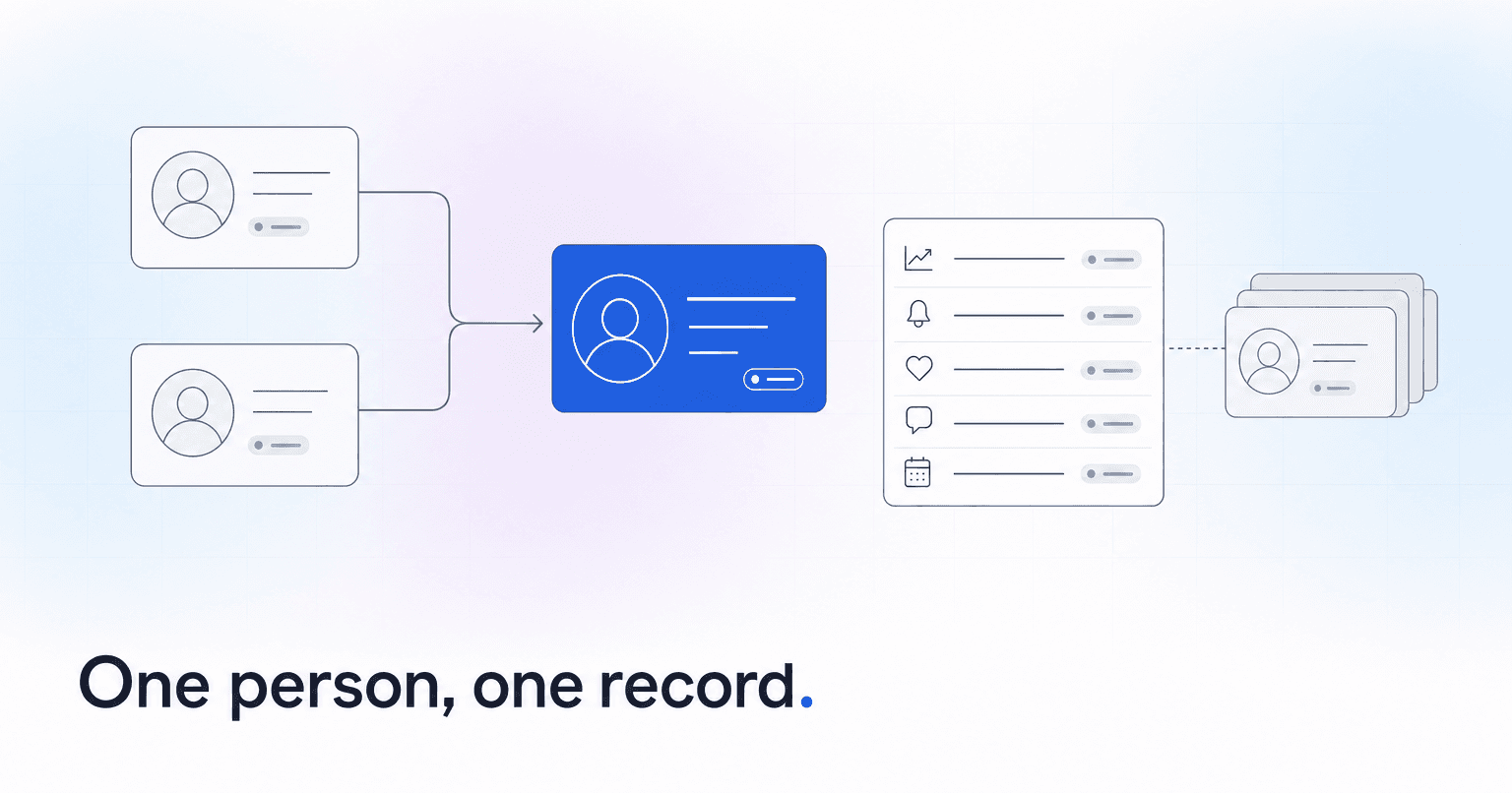
To clean up a church database, work in five passes, in order: merge only records that meet a written match rule, send every near-match to one human reviewer, check email bounces before you call anyone inactive, tag how each person can actually be reached, then archive, rather than delete, the records you cannot save. Before any of it, export a full snapshot. The software is rarely what goes wrong in a cleanup. What goes wrong is two well-meaning people making the same call two different ways.
This guide covers cleaning the database you already run. Moving records into a new system is a separate job.
What a messy database actually costs
Duplicates and dead addresses take up almost no space. What they cost you is belief in the numbers.
"Jennifer Blake" and "Jenn Blake" are two profiles with two giving histories. Students who graduated years ago still count as active. Part of every newsletter bounces, and nobody knows which part. Ask three staff members how many active households the church has and you get three answers, none matching.
Nobody builds a follow-up plan on a list they think is a third wrong. Duplicates also hide drift: one person split across two profiles has half their attendance on each, so neither half looks like someone slipping away. Any lapse report, and any predictive scoring built on attendance and giving, depends on each person having exactly one record.
Before you start: export a snapshot, write one match rule, name one owner
- Export everything. People, households, giving, attendance, groups and serving history, each to its own dated file, saved somewhere staff cannot edit. Export again before each pass.
- Find out whether your platform can undo a merge. Assume it cannot. As of October 2026, Planning Center's help center says plainly that merging profiles cannot be undone, and Subsplash calls its People merge irreversible. If a merge goes wrong, recovery means rebuilding the record by hand from your snapshot.
- Write one match rule and name one owner. One person works the review queue and makes every merge.
Put the rule where everyone can see it. Two records are the same person only when all three of these hold:
- Same last name.
- Compatible first name: identical, or a clear nickname such as Jenn for Jennifer.
- One shared contact point: the same email, mobile number or individual giving ID. A household envelope number does not count, because the whole family shares it.
If both records carry a birth date and the dates differ, they are not a match. Anything that fails the rule goes to the review queue.
Picture the volunteer merge day without a rule or an owner: six people with laptops told to "merge the obvious ones" will pick different primary profiles for look-alike pairs, so names and membership statuses come out inconsistent, and someone will collapse a parent into a child.
Pass 1: Merge records that meet the rule
Start with pairs that pass every condition. Typically that is one person entered twice, once from a connection card and again when they set up online giving.
As of October 2026, the same Planning Center article describes a Potential duplicates section on the People Overview page that suggests matches from exact names, similar-sounding names and common nicknames. Use that list as a starting point and let your rule decide. Name-only suggestions go to Pass 2.
Watch for names that fit two people. Pat could be Patrick or Patricia, Chris could be Christopher or Christine, and two John Smiths at one address could be a father and son sharing the family email. If either record could belong to a spouse or a child, send the pair to Pass 2.
Choose the primary profile deliberately. Per that article, single-value fields such as name, membership type and profile status keep the primary's data, while emails, phone numbers and donation history are combined onto it. It also warns against undoing a CSV import after merging profiles from it, because that deletes the merged person along with their scheduled positions, registrations and donations.
Pass 2: Send every near-match to one reviewer
Everything that looks like a match but fails the rule lands here. Expect four kinds:
- Same email or mobile, different last name: usually one woman entered under her maiden name and again under her married or hyphenated name.
- Different first names sharing an email, phone or envelope number: usually spouses, or a parent and child on the family email. Most are two real people.
- Name-only matches: pairs with no shared contact point, like Jennifer and Jenn Blake with different emails.
- Same last name and same street address: this is where a father and son with the same name get collapsed into one person, and the son's serving and giving history gets folded into his father's record with no way to split it back out.
The reviewer checks birth dates, middle names, giving accounts and group rosters, then makes one of three calls: merge, keep separate and link both in one household, or leave a note and come back later. Unsure pairs can wait a week.
Pass 3: Check every email address before you judge anyone inactive
A dead email is not a dead member. It is a member you can only reach another way.
Pull the bounce reports from whatever sends your email. A hard bounce is permanent: the address does not exist, or the receiving server blocks delivery. A soft bounce is temporary, like a full inbox. As of October 2026, Mailchimp says that in most cases it cleans hard-bounced addresses automatically and immediately, and it reclassifies an address as a hard bounce after 7 soft bounces (up to 15 for contacts with past activity). Planning Center added email delivery warnings in December 2024: a yellow icon beside addresses with repeated bounces, unsubscribes or spam reports.
Each tool only knows its own failures: an address Mailchimp has cleaned can still sit in your ChMS as someone's primary email. Mark every hard bounce in the ChMS too, then ask the person for a current address, in person or by text if they already text with your church:
"Hi Dana, we want to make sure church updates actually reach you. What's the best email for you these days?"
Do not use open rates to judge engagement. Apple Mail's Protect Mail Activity setting downloads remote content privately in the background when a message arrives and hides when it was viewed, so a reported "open" says little about reading. Clicks and replies are better evidence.
Pass 4: Tag how each person can actually be reached
Give every remaining profile one reachability tag. Four are enough:
- Email: a working address with no recent hard bounce.
- Text: a mobile number with documented consent to receive texts.
- Mail only: a current postal address and nothing else that works.
- No working channel: nothing current on file.
Be careful with the text tag. A mobile number on file tells you where a text would go, and nothing about whether the person agreed to get one. In the US, automated texting falls under TCPA consent rules; our primer on whether your church can text members without breaking the law covers opt-in, opt-outs and carrier registration. Without documented consent, ask by email or in person first.
Plenty of people with no working channel are in the building on Sunday with an old address on file. Hand that list, and the script above, to whoever runs your welcome table for a month.
Pass 5: Archive, don't delete
People who have moved, passed away or shown no activity for a long time should leave your active counts while their records stay. Use your platform's inactive or archived status. As of October 2026, Planning Center's guidance is to inactivate real people and delete only test data or profiles created by accident, because a deleted profile cannot be restored and its donations lose their donor link. Record a reason and a date for each.
Write down a threshold. As a rule of thumb, three years with no attendance, giving, serving or group activity is conservative enough that you will rarely archive someone who is still around. Give the list to a pastor first; a few names will be homebound members nobody updated.
Tell staff plainly that marking someone inactive does nothing to their membership. Membership is a decision for your elders, board or congregation, as your bylaws set out, and an archive rule should never quietly make it. How long you keep archived records, and who can see them, belongs in a written retention schedule, which our guide to what church member data privacy actually requires covers.
Where to start this month
Duplicates come back when connection cards and giving sign-ups create a fresh profile for every new or misspelled email, and when ministry spreadsheets get reimported. A short routine holds the line:
- One named person owns every merge.
- Every intake form asks for email and mobile, and side spreadsheets go through the merge owner instead of a raw import.
- Once a month, the owner works the duplicates list and the bounce warnings.
- Once a year, rerun Pass 5 against your written threshold.
The first payoff is a lapse report your staff believes: once each person has one record, the lapsed attendance reporting in your ChMS names real people instead of half-records. From there, decide who reaches out to each name and what they say. This week, export the snapshot and write the match rule on the whiteboard. Pass 1 can start the week after.
You don't have to finish the cleanup before connecting ChurchAI. It works from a copy of your records, does not rewrite your ChMS, and follows each merge you make there, so cleanup and setup can run side by side. If your church is large enough that no one person knows every family, how ChurchAI works shows what setup looks like with the data you have today.
Common questions
- What is ChurchAI?
- ChurchAI is an AI-native church management platform built to help churches retain members, grow giving, and eliminate administrative busywork. Unlike legacy church software that stores data passively, ChurchAI acts as an intelligence layer that connects to your existing tools, analyzes engagement patterns, predicts churn, identifies emerging donors and volunteer leaders, and automates follow-up workflows.
- How is ChurchAI different from Planning Center or other church management software?
- Most church management software like Planning Center, Rock CHMS, or Subsplash are built for administration and reporting. They store data but don't act on it. ChurchAI is built for discipleship and growth. It uses AI to proactively surface insights, predict which members are at risk of leaving, identify first-time and emerging givers, recommend volunteer candidates, and trigger automated follow-up communications. ChurchAI integrates with your existing tools and serves as the command center that turns church data into action.
- Does ChurchAI replace my current church software?
- No. ChurchAI connects directly with your existing church tools including Planning Center, Rock CHMS, Subsplash, Mailchimp, Microsoft Fabric, Power BI, and others. It acts as the intelligence layer on top of your current tech stack, unifying data from scattered systems into one command center without requiring you to switch platforms.
- What problems does ChurchAI solve for churches?
- ChurchAI solves three core problems: (1) Member churn — it identifies disengaged members early through attendance and engagement pattern analysis, then triggers automated follow-up before people fall through the cracks. (2) Missed growth opportunities — it surfaces emerging donors, first-time givers, and potential volunteer leaders that pastors would otherwise miss. (3) Administrative overload — it automates follow-ups, people management, growth tracks, and reporting so church staff can focus on ministry instead of spreadsheets.
- What size churches does ChurchAI work for?
- ChurchAI works for churches of all sizes, from growing congregations to enterprise-level megachurches with multiple campuses and complex tech stacks. The platform scales to handle multi-campus operations with thousands of members, multiple data systems, and sophisticated reporting needs.
- Is ChurchAI an AI chatbot for churches?
- No. ChurchAI is not a chatbot or a simple Q&A tool. It is a full AI-native platform with intelligent agents that analyze church data, score member engagement, predict behavior patterns, automate workflows, and deliver actionable insights. Think of it as an AI-powered Executive Pastor that monitors church health 24/7 and proactively surfaces what needs attention.
- What AI technology does ChurchAI use?
- ChurchAI uses AI-native architecture including large language models, engagement scoring models, predictive analytics for churn and giving patterns, and automated workflow agents. The platform's domain expertise is encoded directly into its AI workflows, prompts, and scoring models, built by founders with over a decade of church leadership experience. This creates a data flywheel where the more churches use ChurchAI, the smarter its predictions and recommendations become.
- How do I get started with ChurchAI?
- Visit churchai.com to request a demo. The ChurchAI team will walk you through the platform, understand your current tech stack and church needs, and show how ChurchAI integrates with your existing tools to deliver immediate value.